
Today, nearly 93 percent of all photos are taken with mobile devices. This shows how much we depend on these gadgets to capture our lives. But, many photos look amateur because of bad lighting.
A smartphone softbox fixes this issue. It spreads light evenly, creating a soft, flattering glow. This tool gives you a professional studio look, all in your bag.
Lighting sets the mood of your photo. Great lighting turns a snapshot into a masterpiece. I aim to help you master these tools for stunning visual content from your phone.
Mobile photography is fast-paced. You need gear that keeps up. This simple addition makes every photo look crisp and bright. You’ll see a massive difference in colors and textures.
Key Takeaways
- Diffused light creates a professional studio appearance.
- Portable tools eliminate harsh shadows on subjects.
- Better illumination increases overall image clarity.
- Setup is quick and works with most mobile gear.
- Quality lighting boosts social media engagement rates.
- Small accessories provide high-end results on a budget.
Why I Love Using a Softbox for My Mobile Photography
Using a softbox with my phone has changed how I take photos. It makes my photos look more professional and better quality.
The Benefits of Soft Lighting
Soft lighting is key for avoiding harsh shadows and unflattering direct light.
A softbox gives soft, diffused light that covers the subject. This makes the photo look more natural and pleasing. It’s great for:
- Reducing facial flaws in portraits
- Showing off product details in product shots
- Getting even lighting for flat lays
How Softboxes Improve Image Quality
Softboxes make the light better, leading to higher quality photos. They provide a more even and controlled lighting.
This means photos with better contrast and clarity. Softboxes also help by:
- Reducing glare and reflections
- Bringing out texture and depth
- Making photos look more professional
Perfecting Colors and Textures
Softboxes are also key for getting accurate colors and textures.
They offer soft, diffused light that keeps the subject’s true colors. This is vital for product and flat lay photography where color matters a lot.
Choosing the Right Softbox for My Phone
Finding the right softbox can really improve your phone photos. With many choices out there, it’s key to think about a few important things. This will help you make a smart choice.
I look at the types of softboxes when I’m searching for one. There are mainly two kinds: LED softboxes and continuous lighting softboxes. LED softboxes use less energy and give a steady, bright light. They’re great for taking clear photos. Continuous lighting softboxes are more flexible and work well for both photos and videos.
Types of Softboxes Available
The market has many softboxes made just for phone photos. Some popular ones are:
- Collapsible softboxes that are easy to carry around
- Softboxes with adjustable brightness to control light intensity
- Softboxes with built-in LED lights for consistent illumination
An LED phone light is also a good choice for your photography kit. It gives the right light for amazing photos.
Size and Portability Considerations
Size and how easy it is to carry are also important. If you’re always moving, a small and light softbox is best. Some softboxes fold up, making them simple to carry in your bag or pocket.
Think about what kind of photos you take most. For example, if you do a lot of product photos, a bigger softbox might be better. It helps spread the light evenly over your subject.
In short, when picking a softbox for your phone, think about the type, size, and how easy it is to carry. This way, you’ll find the best camera phone softbox for your needs.
Setting Up My Softbox for Phone Photography
Using a softbox with my phone has changed the game for me. To start, it’s key to know the basics for setting up your softbox for the best results.
Finding the Ideal Location
Finding the right spot for your shoot is the first step. Natural light works well with your softbox, so look for a spot near a window or outside. But watch out for harsh direct sunlight, as it can make shadows that aren’t flattering.
When picking a spot, think about the background and space. A messy or distracting background can take away from your subject. Also, make sure there’s enough room for your softbox and to adjust it as needed.
Positioning the Softbox for Best Results
After finding the perfect spot, it’s time to set up your softbox. The secret to great results is to try different angles and positions. Begin with the softbox at a 45-degree angle to your subject, then adjust as needed.
For phone video lighting, it’s important to get even, soft light. Adjust the softbox’s distance to your subject to achieve this. The closer it is, the softer and more diffused the light will be.
To get the most from your softbox for phone, keep practicing. Don’t hesitate to try different setups and tweak your technique. With time, you’ll learn how to position your softbox for the best results.
Creative Ways I Use Softboxes in My Photography
Exploring mobile phone lighting with a softbox has changed my photography. It’s opened up new ways to shoot, from portraits to product shots. With a smartphone softbox, the creative options are endless.
Portrait Photography
Portrait photography gets a lot from softbox light. It softens shadows and highlights, making the subject look more natural and flattering. I’ve used my softbox to take portraits that look professional, without needing big equipment.
Product Photography
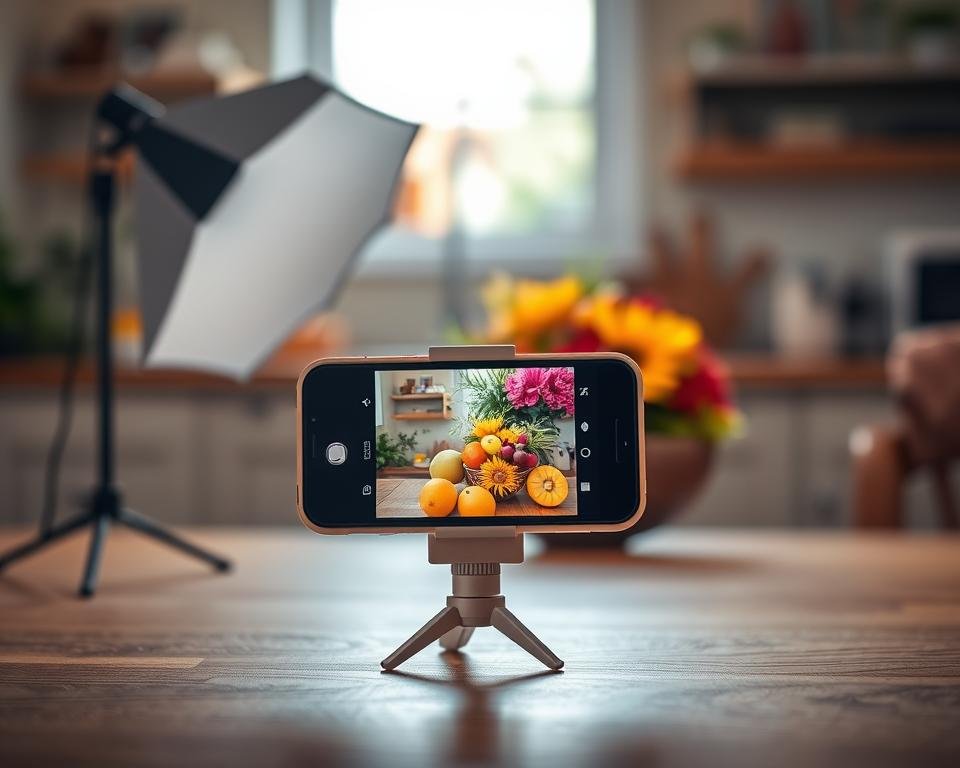
In product photography, a softbox for phones is a game-changer. It lights up the product evenly, showing off details and textures. I love using it for jewelry, cosmetics, and small items where good lighting is key. The soft light makes for high-quality images, great for online stores or social media.
Flat Lay Styling
Flat lay styling is another area where a smartphone softbox excels. The soft light makes compositions look good. I’ve styled and photographed flat lays for food, fashion, and lifestyle, getting a professional look that grabs attention.
Tips for Adjusting Light Intensity
To get the best from your softbox, learning to adjust light intensity is key. This skill can greatly improve your photos, making them bright and attractive.
There are a few strategies to enhance your photography. Using dimmers and reflectors, and making the most of natural light, are effective methods.
Using Dimmers and Reflectors
Dimmers and reflectors are great for controlling your softbox’s light. A portable soft light becomes even more useful with a dimmer. It lets you adjust brightness for different scenes. For example, it prevents overexposure in bright places or adds light in dark ones.
Reflectors, on the other hand, direct light to specific areas. By placing a reflector right, you can soften shadows and get balanced lighting. This is very helpful in portrait shots, where soft light is essential.
Getting the Most Out of Natural Light
Natural light is also vital for great photos with your softbox. Positioning your softbox near a natural light source can improve your scene’s lighting. This mix can make your images more lively and interesting.
To use natural light well, shoot near a window or outside during the golden hour. The light is then soft and warm. This adds depth and character to your photos, making them more engaging. Using a softbox with natural light can also reduce the need for extra lights, like an LED phone light. This makes your setup more portable and easy to use.
By learning to adjust light intensity and using tools like dimmers, reflectors, and natural light, you can greatly improve your mobile photos. Try different lighting setups and techniques to find what works best for you and your style.
Common Mistakes I’ve Made with Softbox Lighting
I’ve learned a lot about softbox lighting for phone photos through trial and error. Using a softbox can really improve your photos. But, knowing the common mistakes is key.
Overusing Light Sources
One big mistake I’ve made is overusing light sources. Adding more light might seem like a good idea. But, too many lights can make shadows and highlights look bad.
For example, using too many softboxes or mixing them with sunlight can mess up your photo. Start with one light source. Then, adjust its position and brightness to get the look you want. Digital Photography School has tips on using softbox flash in portraits.
Ignoring Background Elements
Another mistake is ignoring the background elements in your photos. The background can really change how your photos look.
A messy or distracting background can pull your subject down. But, a clean, well-lit background can make your subject stand out. When using your softbox, think about the background. Make sure it’s simple and well-lit. Sometimes, a plain color or adjusting the lighting can make a big difference.
By avoiding these common mistakes, you can get better at phone photography lighting. You’ll get more professional-looking photos with your camera phone softbox.
Accessories to Enhance My Softbox Setup
To take my mobile photography to the next level, I’ve found that the right accessories are key. Adding a few essential tools to my softbox setup has improved my photo quality and versatility.
Exploring mobile photography, I’ve learned that it’s not just about the softbox. Stability and positioning are critical for professional-looking photos.
Tripods and Stands
A tripod or stand has been a game-changer for me. They help avoid camera shake and ensure sharp images, even in low light. “A steady hand is essential for capturing clear photos,” and these tools help me achieve that.
When picking a tripod or stand, I look at adjustability, sturdiness, and portability. A good one should hold my softbox and phone securely, allowing precise positioning.
Smartphone Holders
A smartphone holder has also greatly improved my setup. It lets me secure my phone, freeing my hands to adjust the softbox. This is super useful with the smartphone softbox combo.
Using a smartphone holder keeps my phone steady and level. This reduces camera shake and improves image quality. It’s been a big help for my mobile photography.
Reflecting on my softbox photography journey, I see the value of trying new things and being creative. With the right accessories, I’ve explored new possibilities in mobile photography.
How a Softbox for Phone Can Save Me Money
Using a softbox for your phone can save you money, which I’ll talk about here. As mobile photographers, we’re always looking for ways to get better without spending a lot.
Professional lighting gear can be pricey and hard to carry. But, a softbox for your phone is cheaper and easier to move around. When I started with mobile photography, I was worried about the cost of pro lighting.
Alternatives to Professional Lighting Equipment
Softboxes for phones are a great choice for several reasons. They’re much cheaper, with many options under $50. They’re also made with smartphone photography in mind.
- Affordability: Softboxes are a lot cheaper than pro lighting kits.
- Portability: They’re small and easy to carry.
- Ease of Use: Softboxes are simple to set up.
Cost Efficiency of Using a Softbox
Softboxes for phone photography are cost-effective in many ways. They’re not just cheaper upfront, but they also last a long time.
A quality softbox can cost between $20 to $50. It can be used for many photo shoots. Professional lighting setups, on the other hand, can cost hundreds or thousands of dollars.
Final Thoughts on My Softbox Experience
Using a softbox with my phone has changed my mobile photography game. The soft, diffused light from the portable soft light has improved my photos’ quality. I never thought I could achieve such high-quality images.
Refining My Photography Style
The LED phone light has helped me try new styles and techniques. I’ve found what works best for me. The softbox has made it easier to take my photos to the next level.
Inspiring Others to Try Softboxes
If you want to improve your mobile photography, try a softbox. It’s easy to use and versatile. It’s great for anyone wanting to get better at photography. Whether you’re experienced or just starting, a softbox can make your photos look professional.