


Did you know we take more photos every two minutes than in the whole 19th century? It’s amazing we carry such powerful tools in our pockets every day. We use them to capture memories, but dim lighting often ruins them.
I’ve spent years trying different mobile cameras to get the best results. These smartphone photography tips will help you handle tricky lighting like a pro. You’ll learn simple ways to improve your photos.
At first, I struggled to avoid harsh glare in my photos. These tips will help you, whether you’re new or experienced. You’ll no longer worry about dark places and can start taking vibrant, clear images today.
Key Takeaways
- Disable the automatic lighting feature to gain more creative control over your shots.
- Use secondary or ambient light sources to create better depth in dark rooms.
- Manually adjust your exposure settings to achieve a balanced and natural look.
- Always clean your camera lens to ensure maximum clarity and reduce unwanted blur.
- Find unique angles for your subject to prevent the dreaded red-eye effect.
- Try using a simple DIY diffuser to create much softer and more flattering light.
Understanding Your Smartphone’s Flash
To get the most out of your smartphone’s camera, it’s key to know about its flash. Most phones have a built-in flash, but the quality can vary a lot.
Types of Smartphone Flash
Smartphones usually have one of three flash types: single LED, dual LED, or triple LED. The flash type impacts the light quality and versatility. For example, dual or triple LED flashes give softer, more natural light than single LED flashes.
| Flash Type | Description | Benefits |
|---|---|---|
| Single LED Flash | A basic flash type found in many smartphones. | Simple and effective for basic lighting needs. |
| Dual LED Flash | Provides a softer, more balanced light. | Reduces harsh shadows and improves overall lighting quality. |
| Triple LED Flash | Offers advanced lighting capabilities with more LEDs. | Enhances low-light photography and provides more creative lighting options. |
When to Use Flash
Knowing when to use flash is key for great photos. Flash is best in low light, but it can also add depth in bright light. For more tips, check out Digital Photography School.
For example, flash in outdoor shots can soften shadows and make photos look more natural. It’s also good for portraits, lighting up the face and reducing shadows.
The Benefits of Built-in Flash
The built-in flash on your phone has many perks, like making low-light photos better. By tweaking your smartphone camera flash settings, you can improve photo quality a lot.
Some main benefits include:
- Enhanced low-light photography capabilities
- The ability to add depth and dimension to your photos
- Convenience, as you don’t need to carry additional lighting equipment
Mastering your phone’s flash can elevate your mobile photography. You’ll be able to take amazing photos in different lighting conditions.
Timing is Everything: When to Use Flash
Learning when to use your smartphone’s flash can really improve your photos. It’s key to know when to turn it on for the best results in different lighting.
The flash on your phone is very powerful. It can make your photos great or not so good. Knowing when to use it is important.
Low Light Conditions
In dark places, the flash is very helpful. It lights up your subject, making your photos clearer. Just be careful not to make it too bright.
Outdoor Night Photography
Photography at night outside can be tough. But, the right flash can make your photos amazing. It lights up your subject against the dark sky.
When shooting at night, think about the background and how the flash will affect it. You might need to adjust the flash to get the right balance.
Portraits in Dim Environments
For portraits in dim places, the flash can make your subject look better. It reduces shadows and makes the face look more natural. Just be careful not to make the light too harsh.
To get the best look, try different flash settings and angles. Sometimes, bouncing the flash off something nearby can make the light softer and more natural.
By getting good at using flash, you can take your phone photos to a new level. Your photos will be not only well-lit but also look great.
How to Adjust Flash Settings on Your Phone
Learning to adjust your smartphone’s flash settings can boost your mobile photography. It helps improve photo quality, even in low light. This is key to taking better pictures.
Accessing Camera Settings
To adjust flash settings, first, open your camera app. Look for the settings icon, often a gear or cog. Then, find the flash settings, labeled as “Flash” or “Flash Mode.”

Manual vs. Auto Flash
Smartphones have both manual and auto flash options. Auto flash turns on the flash automatically based on light. Manual flash lets you control when the flash goes on, giving you creative freedom.
For smartphone flash photography ideas, manual flash is great. It lets you adjust the flash for your scene.
Experimenting with Flash Intensity
Some phones let you change the flash’s intensity. Trying different intensities can change your photo’s look. For example, less intense flash can make lighting softer and more natural.
For tips for better smartphone flash photos, try different settings. See what works best for your photos.
Adjusting flash settings and trying different modes and intensities can improve your mobile photography. You’ll capture amazing images.
Tips for Using Flash Effectively
Mastering flash photography can make your smartphone photos stand out. It’s all about knowing your camera and using a few key tricks.
Bouncing Flash for Softer Light
Bouncing flash off a surface can soften the light and reduce harsh shadows. Try aiming your smartphone’s flash at a nearby wall or ceiling. This trick works well indoors where direct flash can be harsh.
Utilizing Reflective Surfaces
Reflective surfaces can add depth and interest to your photos. For example, a reflector can fill in shadows and balance the light. Play with different angles and positions to get the look you want.
Avoiding Red-Eye in Portraits
Red-eye is common with flash, but it’s easy to avoid. Try adjusting the flash angle or use the red-eye reduction feature if your phone has it. Also, play with the flash intensity to cut down on red-eye.
| Technique | Description | Best Use |
|---|---|---|
| Bouncing Flash | Pointing flash at a surface to soften light | Indoor photography, portraits |
| Using Reflectors | Utilizing surfaces to fill in shadows | Outdoor portraits, stil life |
| Red-Eye Reduction | Adjusting flash settings to minimize red-eye | Low-light portraits |
With these techniques, you can greatly enhance your flash photography. You’ll capture more compelling images.
Creative Strategies for Flash Photography
Flash photography on your smartphone can be very powerful. It can help you take amazing pictures. By trying out different strategies, you can improve your photography skills a lot.
Flash isn’t just for dark places. It can also add depth and drama to your photos. Learning different flash techniques can help you take many kinds of photos.
Silhouette Shots with a Flash
To make silhouette shots, you need to balance the flash with the light around. Place your subject in front of a bright background. Then, use the flash to light them up. This makes a strong contrast between the subject and the background.
For example, during a sunset, you can light up your subject with the flash. The sun will light up the background. This makes a beautiful silhouette.
Experimenting with Long Exposure
Long exposure photography means keeping the camera shutter open for a long time. When you use flash with it, you can get cool effects. Like capturing motion while freezing a moment with the flash.
To try this, set your camera to a slower shutter speed. Then, use the flash to light up your subject. This is great for moving scenes or nighttime shots.
| Technique | Description | Effect |
|---|---|---|
| Silhouette with Flash | Balance flash with ambient light | Contrasting subject and background |
| Long Exposure with Flash | Slow shutter speed + flash | Capturing motion and freezing moment |
| Flash for Action Shots | Flash freezes fast-moving subjects | Sharp images of action |
Using Flash for Action Shots
Flash is great for capturing fast-moving subjects. The quick light from the flash makes sharp images. This is hard to do with just the camera’s light.
In sports, a flash can catch the exact moment of action. Like a basketball player dunking or a runner crossing the finish line.
Avoiding Common Flash Mistakes
Mastering smartphone flash photography means knowing how to use it right and avoid common mistakes. Flash can make your photos better, but some errors can ruin them.
Overexposure in Well-Lit Settings
One big mistake is using flash in bright places, causing overexposed photos. The extra light from the flash can make photos look unnatural. It’s better to turn off the flash or adjust its strength in bright settings.
I once took a photo of a sunset and my phone’s flash went on by itself. The photo was too bright and lost the sunset’s warm colors. Turning off the flash and adjusting the exposure helped me get a better photo.
Unwanted Shadows and Harsh Light
Flash can also create unwanted shadows and harsh light. Direct flash can make subjects look bad. To fix this, try changing the flash’s angle or using a diffuser to soften the light.
Misplacing the Flash for Best Light
The flash’s position greatly affects photo quality. Flash too close to the subject can be harsh. But, at an angle, it can be softer and more pleasing. Try different flash positions to find the best one.
By knowing these common mistakes and how to avoid them, you can get better at smartphone flash photography. This way, you can take more amazing photos.
Editing Photos Taken with Flash
Editing your flash photos can make them even better. It’s a key part of photography that can greatly improve your photos’ quality.
Editing flash photos involves several steps. First, pick the right editing app.
Apps to Enhance Flash Photos
Many apps can enhance your flash photos. Adobe Lightroom, Snapseed, and VSCO are popular choices. They offer tools to adjust exposure, contrast, and color balance.
Adobe Lightroom is great for adjusting exposure and contrast in flash photos. As Ansel Adams said, “You don’t take a photograph, you make it.” The right app can greatly improve your flash photos.
“The picture that you took is not the final product; it’s the negative. You have to develop it.”
Adjusting Brightness and Contrast
Adjusting brightness and contrast is key for natural-looking photos. Flash can make photos too bright or dark. Most apps let you adjust these settings easily.
| App | Brightness Adjustment | Contrast Adjustment |
|---|---|---|
| Adobe Lightroom | Yes | Yes |
| Snapseed | Yes | Yes |
| VSCO | Limited | Limited |
Removing Red-Eye with Editing Tools
Red-eye is common in flash photos, but most apps have tools to fix it. Adobe Lightroom’s Red Eye Correction tool is one example.
Using these editing techniques and apps can greatly enhance your flash photos. Editing is essential for both beginners and experienced photographers to get the best results.
Exploring Natural Light as an Alternative
Natural light is often seen as the most flattering for photography. Knowing when to use it can make your smartphone photos stand out. It’s key to grasp the importance of natural light in smartphone photography.
Flash is powerful, but natural light is better in some cases. For example, during the golden hour outdoors, natural light adds a warm glow. This glow is hard for flash to match.
When to Use Natural Light Over Flash
Outdoor bright conditions are best for natural light. It softens shadows and balances exposure.
Natural light is also great for portraits. It softens the skin and makes it look more natural.
Tips for Creative Lighting Techniques
Play with natural light angles and positions. Shooting near a window or during the golden hour adds depth.
Reflective surfaces can bounce natural light. This fills shadows and balances exposure.
- Try backlighting for a beautiful rim of light around your subject.
- Use cloudy days for subtle, nuanced tones.
- Be creative with lighting to add interest to your photos.
Knowing when to use natural light can elevate your smartphone photography. It lets you capture stunning images that show your creativity.
Using External Flash Accessories
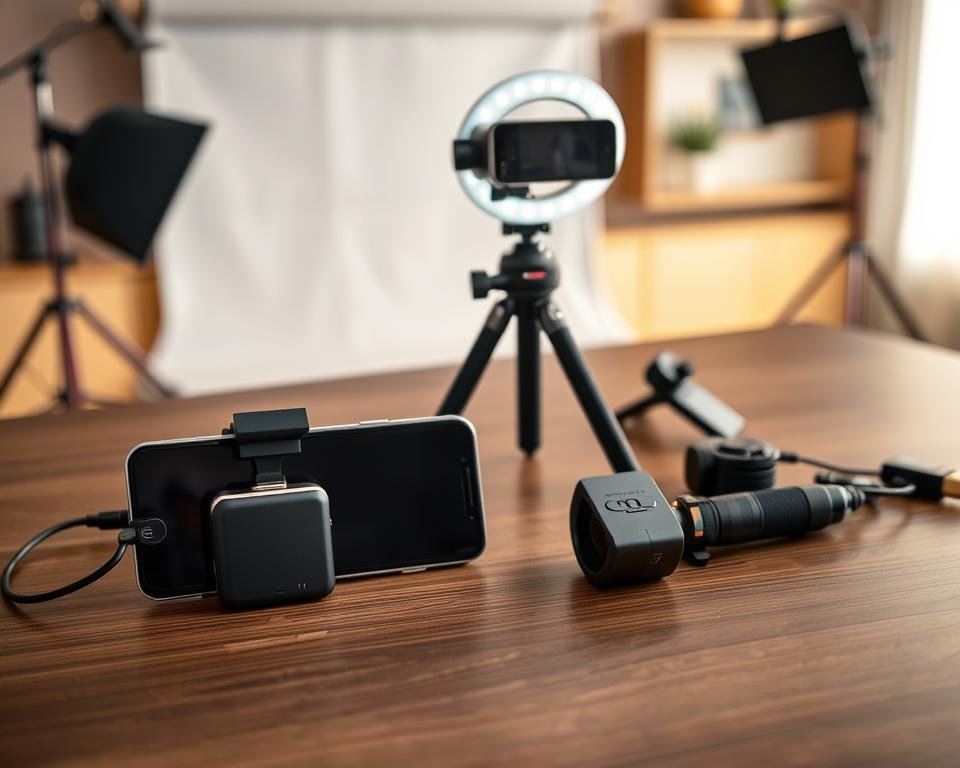
External flash accessories can boost your smartphone’s camera power. They give better lighting for many photography needs. Whether you’re a hobbyist or a pro, these tools offer more power and control than the built-in flash.
Popular External Flash Brands
Many brands stand out in the external flash market. They offer products for all needs and budgets. Here are some well-known ones:
- Yongnuo: Known for their affordable and feature-rich external flashes.
- Godox: Offers a wide range of external flash units with advanced features.
- Profoto: Renowned for their high-end, professional-grade external flashes.
Benefits of External Flash Attachments
External flash attachments can greatly improve your smartphone photos. Here are some key benefits:
- Increased Power: External flashes give more light, helping in low-light situations.
- Better Control: Many external flashes let you adjust settings, giving you more control over lighting.
- Versatility: External flashes work well in many photography styles, from portraits to landscapes.
A photography expert says, “External flashes have changed smartphone photography. They offer unmatched flexibility and quality.”
“The external flash is essential for serious smartphone photographers. It lets us capture images we couldn’t before.”
Choosing the Right External Flash for Your Needs
When picking an external flash, think about these factors:
- Compatibility: Make sure the flash works with your smartphone model.
- Power and Adjustability: Choose a flash with adjustable power for different needs.
- Size and Portability: Consider the flash’s size and weight, if you’ll carry it often.
By picking the right external flash, you can improve your smartphone photography. You’ll get stunning images with better lighting.
Flash for Different Photography Styles
Smartphone flash is more than just for dark places. It’s a tool that can make many types of photos better. Learning how to use flash well can really boost your photo quality.
Using Flash for Portrait Photography
Flash can make portraits look better and more real. Softening the flash by bouncing it off surfaces or using a diffuser helps. This reduces harsh shadows and makes the photo look more natural.
“The key to great portrait photography is lighting,” says famous photographer Annie Leibovitz. “Flash can add depth and dimension to your portraits when used correctly.”
Flash Tips for Landscape Photography
In landscape photography, flash isn’t usually the first choice. But, it can be useful for adding depth to foreground elements or lighting up subjects. Mixing flash with natural light can make photos more interesting and dynamic.
Flash in Event Photography
Event photography, like weddings or parties, often has tough lighting. Flash is very helpful in these cases. It helps capture the atmosphere and details of the event. It’s key to adjust the flash settings right to avoid too much light or harsh shadows.
Mastering flash in different photography styles can improve your smartphone photography. You’ll be able to take a variety of photos with confidence.
Experimenting with Flash and Different Subjects
Smartphone photography is exciting when you try flash on different subjects. It opens up new creative ways and improves your skills.
Flash works well with various subjects, showing new textures and emotions. Let’s look at some fun ways to use flash.
Capturing Pets with Flash
Photographing pets with flash is fun and rewarding. Pets, like those with fur, can be hard to capture because of their movement and light reflection. Flash helps freeze their movements and adds sparkle to their eyes.
- Use a diffused flash to soften the light and reduce harsh shadows on your pet’s face.
- Experiment with different angles to find the most flattering light for your pet.
- Consider using the flash to create a catchlight in your pet’s eyes, adding depth and life to the photo.
Flash Techniques for Stil Life
Stil life photography is great for flash experiments. You can control the light to highlight textures, colors, and details.
For stil life, you can use flash to create interesting effects such as:
- Highlighting textures: Use direct flash to accentuate the texture of objects.
- Creating depth: Experiment with side lighting to create depth and dimension in your stil life compositions.
- Enhancing colors: Adjust the flash intensity to bring out the true colors of the objects.
Flash in Street Photography
Flash in street photography adds energy and movement to your photos. It freezes fast subjects and adds contrast.
For more on using flash off-camera, check out this guide to working with flash off-camera.
In street photography, be aware of your surroundings and subjects. Try different flash settings and angles to get the right effect without being intrusive.
Final Thoughts on Mastering Flash Photography
As we wrap up our exploration of smartphone flash photography, it’s clear that mastering it can boost your mobile photography skills. Knowing how to use your smartphone’s flash well lets you take amazing photos in any light.
Unlocking Creative Creative Potential
Being creative with flash means trying out new techniques and settings. By using smartphone flash tips, like bouncing flash or adjusting its intensity, you can make your photos more interesting.
Practicing for Perfection
Getting better at using your smartphone’s flash takes time and practice. By taking lots of photos with flash and checking them, you’ll learn what works best in different situations.
Learning from Others
Joining photography groups or sharing your photos can give you great feedback and tips. Learning from others and sharing your own experiences helps you keep improving and stay updated with new flash techniques.