

Did you know 93% of online buyers choose based on visual appearance? This fact is amazing because it shows how important a single image is for a brand.
At first, I saw that bad photos didn’t work for professional shots. To get good results, I learned that the right product photography lighting is key.
It’s not just about being bright; it’s about how shadows show an object’s shape and texture. The right product lighting setup lets me tell a story with precision.
When photos look sharp and professional, customers trust what they’re buying more. I want to share my top tips to get those stunning results that catch eyes right away.
Good visuals do more than show an item; they connect emotionally with the viewer. By the end of this guide, you’ll have the tools to make your inventory look magnificent.
Key Takeaways
- Visual quality is a top priority for over 90% of online shoppers.
- Consistent brightness builds significant trust with your target audience.
- Shadow control helps define the actual shape and texture of goods.
- Professional visuals can significantly reduce the need for heavy editing.
- The right tools help create an emotional bond with possible buyers.
- High-quality images lead to higher conversion rates and fewer returns.
Importance of Proper Lighting in Product Photography
In product photography, the right lighting is key. It shapes how customers see your product. It can make the product stand out, set a mood, and even sway buying decisions.
Good lighting turns a simple product photo into something eye-catching. It’s not just about shining a light on the product. It’s about creating a vibe that speaks to your audience.
Enhancing Product Features
Lighting highlights a product’s best parts. The best lighting for product photography makes textures, colors, and details pop. This makes the product more attractive to buyers.
Soft, diffused light reduces harsh shadows and reflections. This gives a clear view of the product. It’s great for products with lots of details or complex designs.
Creating Mood and Atmosphere
Lighting sets the mood in your photos. By tweaking the lighting, you can evoke emotions and show the product’s personality. Warm light can feel cozy, while cool light looks modern.
Using product lighting tips like colored gels or adjusting white balance can enhance the mood. This is useful for brands with a unique style they want to show.
Boosting Sales with Visual Appeal
The main goal of product photography is to sell more. Good lighting makes your product look better, attracting more customers. High-quality images build trust and confidence, leading to more sales.
| Lighting Technique | Effect on Product | Sales Impact |
|---|---|---|
| Soft, Diffused Light | Reduces harsh shadows, highlights details | Increases customer trust |
| Warm Lighting | Creates cozy, inviting atmosphere | Enhances brand identity |
| Cool Lighting | Gives a sleek, modern look | Appeals to modern consumers |
By mastering good lighting, you can greatly improve your product photos. This can lead to more sales.
Types of Lighting Sources for Product Setup
Understanding different lighting sources is key in product photography. The right light can make your product images more attractive to customers. Let’s look at the various lighting options for setting up products.
Natural Light vs. Artificial Light
Choosing between natural and artificial light is a big decision. Natural light is soft and diffused, but it’s unpredictable. It changes with the time of day and weather.
Artificial light gives you more control and consistency. It can be adjusted to fit your needs and isn’t affected by weather. For tips on setting up product photography lighting, check out the ultimate product photography lighting setup.
| Lighting Type | Advantages | Disadvantages |
|---|---|---|
| Natural Light | Soft, diffused quality; free | Unpredictable; weather-dependent |
| Artificial Light | Consistent; controllable | Requires investment in equipment; can be harsh |
Continuous Lighting Systems
Continuous lighting systems provide a steady flow of light. This lets you see how the light affects your product as you work. They’re great for product photography because you can make precise adjustments.
Continuous lighting can be achieved with LED panels and softboxes. These are good for video or photographers who like a simple setup.
Flash and Strobe Lighting
Flash and strobe lighting give a strong burst of light. This can freeze motion and add depth to your images. They’re versatile and can be adjusted for different needs.
When picking between flash and strobe, think about what your product shoot needs. Both can produce excellent results with the right use. They’re key for professional product lighting.
Essential Equipment for Effective Lighting
Getting the right equipment is key to good product lighting. I’m here to help you pick the best. When setting up your studio, choose gear that gives you the lighting you need.
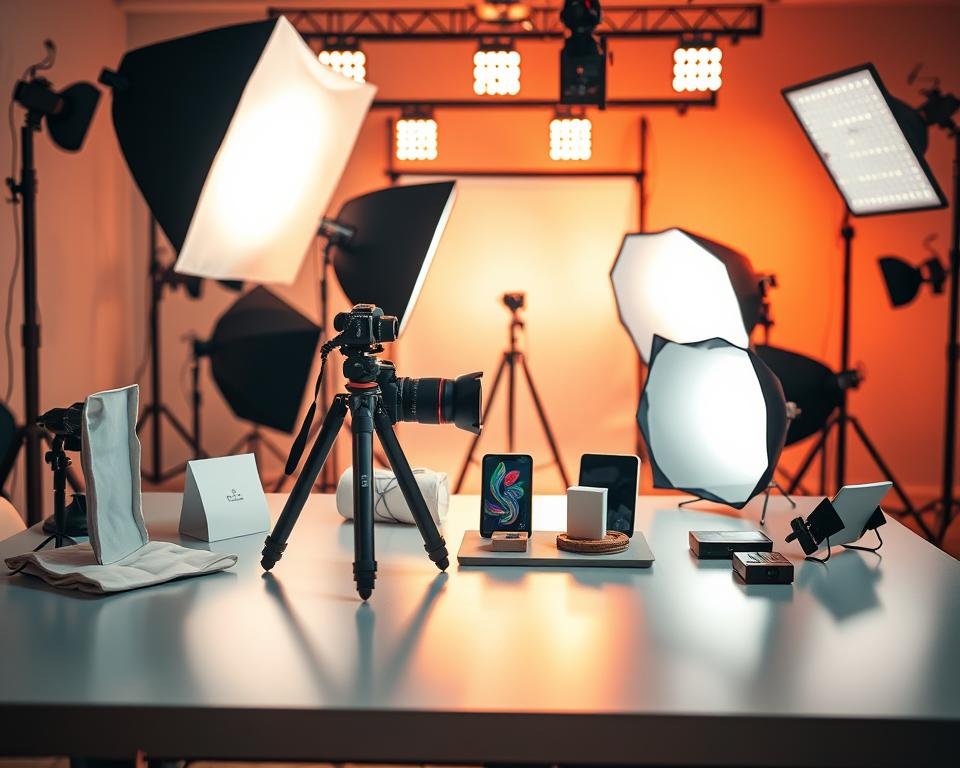
The quality of your lighting makes a big difference in your product images. Softboxes and light diffusers are vital. They create soft, even light that cuts down harsh shadows.
Softboxes and Light Diffusers
Softboxes soften the light from a source, making shadows less harsh. Light diffusers scatter light for a more even effect. Both help your product look better.
Using these tools makes your product images look softer and more natural.
Reflectors and Flags
Reflectors bounce light to brighten dark spots. Flags block light to avoid overexposure. Both tools let you control your lighting better.
They give you more freedom to experiment and get better results.
Light Stands and Tripods
Light stands hold your lights in place, making it easy to adjust them. Tripods keep your camera steady, even in low light. Both are key for quality images.
A good light stand and tripod improve your images. They prevent camera shake and ensure consistent lighting.
| Equipment | Purpose | Benefits |
|---|---|---|
| Softboxes | Soften light | Reduces harsh shadows, creates even lighting |
| Reflectors | Bounce light | Balances lighting, reduces shadows |
| Light Stands | Hold lighting equipment | Adjustable, stable lighting setup |
Investing in these essential tools will help you create amazing product images. Your audience will surely notice.
Understanding Lighting Techniques
To get amazing product images, knowing different lighting techniques is key. Lighting can greatly affect how your product looks. Here, we’ll explore three important techniques: Three-Point Lighting Setup, Flat Lighting, and Backlighting for Dramatic Effects.
Three-Point Lighting Setup
The three-point lighting setup is a basic but powerful technique in product photography. It uses three lights: a key light, a fill light, and a backlight. The key light is the main light that highlights the product. The fill light softens shadows, and the backlight adds depth by separating the product from the background.
This setup gives you control over the lighting. You can adjust each light to get the perfect balance. This way, you can create images that are both natural and dramatic.
Flat Lighting Technique
Flat lighting makes sure the product is lit evenly, with no harsh shadows. It’s great for showing off detailed or textured products. To get flat lighting, use a softbox or a light tent to spread the light evenly.
Flat lighting is perfect for e-commerce photos. It makes the product look clear and easy to see. This helps customers understand the product’s features better.
Backlighting for Dramatic Effects
Backlighting puts a light source behind the product for a dramatic look. It adds depth and makes the product pop against the background. This technique is great for showing off transparent or translucent parts of a product.
To get a striking backlight, use a hair light or place a light behind the product. Playing with the light’s intensity and angle can enhance the drama in your photos.
Choosing the Right Light Color Temperature
Product photography relies heavily on light color temperature. The right light color can make your products look appealing to customers.
Light color temperature is measured on the Kelvin scale. This scale ranges from warm to cool tones. Knowing this scale helps you choose the right lighting for your products.
Kelvin Scale Basics
The Kelvin scale measures light color temperature. Lower temperatures mean warmer, yellowish tones. Higher temperatures mean cooler, bluer tones. The scale goes from 1,000K to 10,000K.
For product photography, certain color temperatures are more common:
| Color Temperature (K) | Description | Common Use |
|---|---|---|
| 1,000K – 2,000K | Warm, yellowish tone | Creating cozy, nostalgic ambiance |
| 2,500K – 3,500K | Soft, warm white | Indoor, lifestyle product photography |
| 5,000K – 6,000K | Neutral, daylight | Standard product photography, e-commerce |
| 7,000K – 10,000K | Cool, bluish tone | High-tech, modern product photography |
Warm vs. Cool Lighting Effects
Warm lighting makes things look cozy and inviting. It’s great for home decor or clothing.
Cool lighting makes things look modern and sleek. It’s perfect for high-tech gadgets or jewelry.
How to Adjust White Balance
Adjusting white balance is key for natural-looking product images. Most cameras let you change white balance settings.
For best results, shoot in RAW format. Then, adjust white balance in post-processing. This gives you more control over your images.
Benefits of Light Modifiers in Product Lighting
Light modifiers are key to making product images look top-notch. They change how light looks in photos. This helps photographers make their images better.
One big job of light modifiers is to make shadows softer. Harsh shadows can make products look bad or hard to see. Softening these shadows makes the light more even and nice.
Softening Harsh Shadows
It’s important to soften shadows for a good product photo. Softboxes and diffusers are great for this. They spread out the light, making it softer and gentler.
For example, they help with shiny products like jewelry or glass. They reduce glare and reflections, making the product stand out more.
Creating Unique Effects
Light modifiers can also make product photos unique. By trying different ones, photographers can get creative. For instance, a snoot or a grid can focus light on certain parts, creating a striking look.
They can also set a mood in the photo. Changing the light can make the image feel different. It can make viewers feel certain ways.
Enhancing Textures and Colors
Light modifiers also make textures and colors pop. They can make products look more real and interesting. This is great for showing off details.
For example, soft light on fabrics brings out their details and patterns. It makes them look more inviting.
| Light Modifier | Purpose | Effect |
|---|---|---|
| Softbox | Softens harsh light | Reduces shadows, creates even lighting |
| Snoot/Grid | Focuses light | Creates dramatic effects, highlights specific areas |
| Diffuser | Disperses light | Softens light, reduces glare |
In short, light modifiers are vital in product photography. They offer many benefits that can make images look better. Knowing how to use them well can help photographers create amazing photos.
Setting Up Your Product Lighting Environment
To get professional-looking product photos, you need the right lighting setup. This involves several key steps that can greatly improve your product images.
Finding the Ideal Location
Finding the perfect spot for your product lighting is the first step. It could be a studio or a special area in your home or office. Look for a spot with natural light and where you can control the ambient light. Natural light is great for product photography, but it’s hard to control.
Choose a spot with a north-facing window to avoid harsh sunlight. Or, use a studio with controlled lighting. Make sure the space is big enough for you and your equipment.
Managing Background and Surroundings
The background and surroundings of your product are very important. A messy or distracting background can take away from your product. A clean, simple background can make it stand out.
- Use a seamless paper roll or a background stand for a clean background.
- Keep the area around your product tidy and free of clutter.
- Think about using a tent or lightbox to isolate your product and control the light.
Controlling Ambient Light
Ambient light is the natural or existing light in your space. It’s key to getting consistent, high-quality product images. Here are ways to manage ambient light:
- Use blackout curtains or shades to block out natural light indoors.
- Adjust your lighting to match the ambient light.
- Shoot during the golden hour or on overcast days if using natural light.
By managing your location, background, and ambient light, you can create a great product lighting environment. This will make your product look better and can help sell more.
Tips for Shooting in Different Conditions
As a photographer, adjusting your lighting setup is key for great photos. Whether indoors or outdoors, knowing how to handle different settings is essential. This skill helps you take high-quality images of products.
Indoor Setup Best Practices
Indoor shooting means you have control over the light. Use continuous lighting systems or softboxes for soft, even light. Make sure your light’s color temperature matches your product’s to get accurate colors.
Here’s a quick guide to indoor lighting setup:
| Lighting Element | Purpose | Tips |
|---|---|---|
| Softboxes | Soft, even lighting | Use for minimizing harsh shadows |
| Reflectors | Redirecting light | Use to fill in shadows or add depth |
| Light Stands | Stabilizing lights | Ensure stability to avoid light movement |
Outdoor Shooting Techniques
Outdoor shooting uses natural light, but it comes with challenges like weather and sunlight. Choose the right time and light direction for your photos. The golden hour, just before sunset, is perfect for many products.
Adapting to Weather and Time of Day
Weather and time of day affect outdoor photos. Overcast days offer soft light, while direct sunlight can create shadows. Adjust your lighting setup or use light modifiers to control the light.
For example, a diffuser can soften sunlight, and a reflector can add light to shadows. Learning to adapt to these conditions ensures your product photos look professional, no matter the environment.
Post-Processing Techniques for Perfecting Light
After taking your product photos, the real work starts with post-processing. This step is key to making your products look their best. It lets you refine the lighting to perfection.
First, adjust the exposure and brightness. This ensures your product is well-lit and the image isn’t too bright or dark. Proper exposure greatly affects how buyers see your product.
Adjusting Exposure and Brightness
To tweak exposure and brightness, use software like Adobe Lightroom or Photoshop. These tools help fine-tune the image’s look. For example, if your product is too bright, you can lower the exposure to bring out details.
Here’s a simple guide to adjusting exposure and brightness:
- Open your image in the chosen software.
- Adjust the exposure slider to brighten or darken the image.
- Use the contrast slider to enhance the difference between light and dark areas.
- Adjust the highlights and shadows to recover details in both bright and dark areas.
Using Software for Color Correction
Color correction is also vital. It adjusts the color temperature and tint to show the product’s colors accurately. Color correction software helps achieve a natural look that matches the real product.
One common method is using the white balance tool. By setting the white balance to a neutral area, you correct color casts. You can also use color grading tools to improve the image’s color palette.
| Software | Key Features for Color Correction |
|---|---|
| Adobe Lightroom | White balance adjustment, color grading, and tone mapping. |
| Adobe Photoshop | Advanced color correction tools, including curves and hue vs. saturation. |
| Skylum Luminar | AI-powered color correction and enhancement tools. |
Adding Highlights and Shadows
Adding highlights and shadows can make your product photos more engaging. By adjusting these elements, you can create a more appealing image. Highlights draw attention to specific features, while shadows add depth and context.
To add highlights and shadows well, use the dodging and burning tools. Dodging lightens areas, and burning darkens them. This technique guides the viewer’s eye and highlights key features.
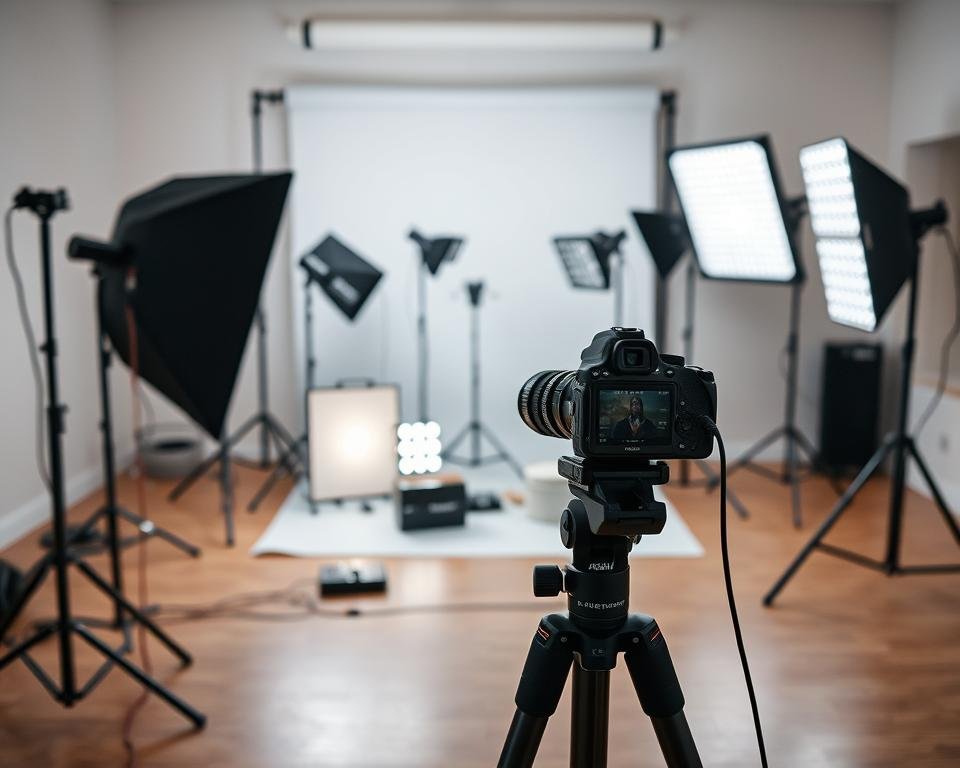
Mastering these post-processing techniques can greatly improve your product photos. The goal is to enhance the product’s appearance while keeping it natural and realistic.
Common Mistakes to Avoid in Product Lighting
Mastering product lighting is more than just knowing the right techniques. It also means avoiding common errors. As I explore product photography, I’ve found key mistakes that can affect your image quality.
When setting up your product lighting, watch out for several pitfalls. Let’s look at some critical ones.
Overexposing Images
One big mistake in product lighting is overexposing your images. This happens when too much light hits the camera sensor. It results in lost details in the brighter areas.
To avoid this, adjust your lighting setup or camera settings for balanced exposure. Tools like histograms can help you check exposure levels.
Neglecting Background Choices
The background of your product image is as important as the product itself. Neglecting background choices can distract from the product or clash with its colors.
Choose a background that complements the product and makes it stand out. Simple, neutral-colored backgrounds often work best.
Ignoring Reflections and Glare
Reflections and glare can detract from your product images’ quality. Ignoring these issues can make your photos look unprofessional.
Use polarizing filters or adjust the angle of your lights to reduce glare. For reflective surfaces, consider using a polarizing filter on your camera lens.
| Lighting Aspect | Proper Technique | Improper Technique |
|---|---|---|
| Exposure | Balanced exposure that captures product details | Overexposure leading to lost details in bright areas |
| Background | Complementary background that enhances product visibility | Clashing background that distracts from the product |
| Reflections/Glare | Minimal glare and reflections, improving product clarity | Significant glare and reflections, reducing product quality |
By knowing these common mistakes and avoiding them, you can greatly improve your product lighting. Remember, professional product lighting is about creating an environment that showcases your product well.
Experimenting with Lighting Styles
Exploring different lighting styles can really boost your product photos. The right light can make your product pop, grabbing the attention of buyers. We’ll look at various lighting styles and techniques to find the best for your products.
Flat Lay vs. Standalone Products
Choosing between flat lay and standalone product photography is key. Flat lay photography arranges products and items flat, perfect for jewelry, cosmetics, or food. It’s engaging on social media, creating a lifestyle vibe.
Standalone product photography focuses on one item, highlighting its details. It’s best for e-commerce sites where clear product views are essential. Your choice depends on your brand’s look and the story you want to tell.
Lifestyle vs. Studio Photography
Deciding between lifestyle and studio photography is also important. Lifestyle shots show your product in use, connecting with your audience. For example, a camera brand might show their model in action. This helps buyers see themselves using the product.
Studio photography offers control over lighting and background, ideal for high-quality images. It’s great for catalogs and online stores. As
“The best photography is a fusion of technique and creativity, and studio lighting gives you the control to achieve that.”
Seasonal and Thematic Lighting
Matching your lighting to seasons or themes can make your photos more appealing. Warm lighting works well for winter or holiday items, creating a cozy feel. Cool lighting is refreshing for summer or outdoor products.
Trying out seasonal and thematic lighting keeps your photos fresh and relevant. It’s about knowing your audience and what they like at different times.
Final Thoughts on Mastering Product Lighting
Mastering product lighting is a journey. It involves learning new techniques and trying out different setups. A good lighting setup can make your products look great, attracting more customers.
Learning and Experimenting
To get better at product photography lighting, keep learning and trying new things. Understand the different lighting sources, modifiers, and techniques.
Further Resources
There are many resources to help you learn more. Look for online tutorials, workshops, and photography communities. These can keep you up-to-date with the latest in product photography lighting.
Getting Started
Now, it’s time to use what you’ve learned. Start with a simple product lighting setup. Try out different setups to see what works best for your products.