


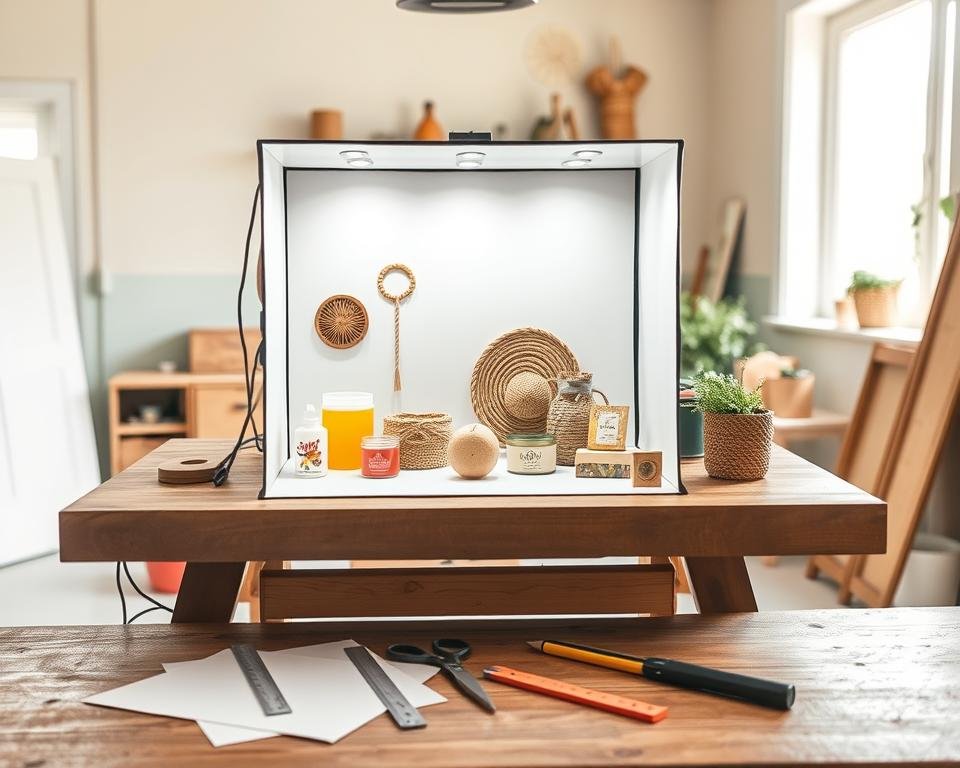
Did you know listings with great images get up to 94% more views? This fact made me rethink my home photography setup. I thought I needed expensive studio gear for that professional look, but I was wrong.
Building a DIY product lightbox is a smart way to save money and boost creativity. With basic materials from places like Michaels, you can turn messy shadows into soft light. It’s a great project for anyone wanting to improve their store’s look.
Creating a homemade lightbox lets me control the environment. I no longer deal with harsh glares or distracting backgrounds when taking pictures of small items. This setup gives a clean, professional finish that makes every photo pop on screens.
I really enjoy how this tool makes my work faster and more fun. You don’t need a big budget to get stunning visual results from your desk. Let’s dive into how you can start this journey today and enhance your photography skills.
Key Takeaways
- Reduce photography costs with affordable materials.
- Achieve professional soft lighting at home.
- Eliminate harsh shadows and distracting glares.
- Increase online engagement with better visuals.
- Control the shooting environment with ease.
- Boost conversion rates for your featured items.
Introduction to DIY Product Lightboxes
For those looking to improve their product photography, learning about DIY product lightboxes is a good start. A well-made lightbox can greatly improve your product images’ quality.
A DIY product lightbox is more than a tool; it’s a way to control your product photography. It lets you achieve consistent and high-quality results. By making your own lightbox, you can tailor it to your specific needs.
What is a Product Lightbox?
A product lightbox is a box with a translucent top or sides. It diffuses light around the product inside, reducing harsh shadows and reflections. It’s made to give soft, even lighting that shows off the product’s features.
The charm of a DIY lightbox is its simplicity and customization. You can pick different materials for the box and lighting to get the look you want.
Benefits of Using a Lightbox for Photography
Using a lightbox for product photography has many advantages. It ensures consistent lighting, which is key for professional-looking images. It also cuts down on editing time by reducing harsh shadows and reflections.
Key Benefits:
- Consistent and soft lighting
- Reduced editing time
- Customizable to fit different product sizes and types
Here’s a comparison of product photography with and without a lightbox:
| Feature | With Lightbox | Without Lightbox |
|---|---|---|
| Lighting Consistency | High | Variable |
| Editing Time | Less | More |
| Product Visibility | Enhanced | Dependent on Environment |
Materials Needed for Your DIY Lightbox
To make a DIY lightbox, you need some basic stuff. I’ll list what you need to start your craft photography project. A good lightbox is key for taking top-notch product photos.
Essential Supplies for Creation
First, gather these basic parts. You’ll need:
- A cardboard box or a wooden frame as the lightbox base
- White paper or a white background for a smooth backdrop
- LED lights or softbox lights for brightening up
- A diffuser to make the light softer and shadows less harsh
- Tape and scissors for putting it all together
Choosing the right materials is key for great product photos. The lighting you pick can really change how your images look.
| Material | Purpose | Recommended Type |
|---|---|---|
| Cardboard Box or Wooden Frame | Base of the Lightbox | Sturdy and Large Enough for Your Products |
| White Paper or Background | Seamless Backdrop | High-Quality, Non-Glossy Paper |
| LED Lights or Softbox Lights | Illumination | Adjustable and Soft Light Sources |
Optional Enhancements for Better Lighting
For an even better DIY lightbox, think about adding these extras. You could use:
- More light sources for complex setups
- Reflectors to bounce light onto your products
- Colored backgrounds or props to add context and interest
A photography pro once said,
“The key to great product photography is not just the equipment, but understanding how to use light to your advantage.”
Try out different lighting setups to find the perfect look for your products.
By picking the right materials and adding both essential and optional parts, you can make a DIY lightbox that’s perfect for craft photography. It will make your product images look great.
Step-by-Step Guide to Building Your Lightbox
Building a homemade photo studio is easy with this guide. You’ll need a few materials and basic DIY skills. Soon, you’ll have a handcrafted lightbox that boosts your product photos.
Choosing the Right Size for Your Lightbox
First, pick the right size for your lightbox. Think about the size of your products. A bigger lightbox is more flexible but needs more stuff and space.
Start with a 24x24x24 inch lightbox for small to medium products. For bigger items, adjust the size as needed.
| Product Size | Recommended Lightbox Size |
|---|---|
| Small | 18″x18″x18″ |
| Medium | 24″x24″x24″ |
| Large | 36″x36″x36″ |
Constructing the Frame
You’ll need PVC pipes or wooden dowels, connectors, and a strong base for the frame. It must hold the lightbox’s weight and any extra lights or diffusers.
As DIY Magazine says, “A solid frame is key to a great lightbox.” Make sure your frame is square and level for better photos.
“A well-constructed frame is the backbone of a successful lightbox.”
Adding Backgrounds and Surfaces
The background and surface of your lightbox are vital for good photos. Use paper, fabric, or seamless paper backdrops. Choose something easy to clean and smooth.
For best results, use a white or light background to cut down shadows and reflections. Try different textures and colors to add interest to your photos.

By following these steps, you can make a useful DIY product lightbox. It will improve your product photos and make them look professional.
Lighting Techniques for Your Lightbox
Getting the right lighting is key for amazing product photos with your DIY lightbox. The right light can make your photos stand out. Knowing how to light your product is a must for any photographer.
Lighting does more than just show your product. It sets the mood, shows texture, and highlights important features. With a DIY lightbox, you can try different lighting setups to get the look you want.
Natural Light vs. Artificial Light
You have two main choices for lighting your DIY lightbox: natural light and artificial light. Natural light is soft and works well for a natural look. But, it can change with the weather and time of day.
Artificial light gives you more control. You can change its brightness and direction. LED lights and studio strobes are great for product photos because they’re easy to adjust.
| Lighting Type | Characteristics | Best For |
|---|---|---|
| Natural Light | Soft, diffused, unpredictable | Natural look, outdoor settings |
| Artificial Light | Controllable, consistent, adjustable | Studio settings, precise control |
Positioning Lights for Optimal Results
Where you place your lights is very important for great product photos. The right light placement can change how your product looks.
Start with one light at a 45-degree angle to your product. This creates a soft shadow that adds depth. As you get better, try using more lights for different effects.
“The key to great product photography is not just about the equipment you use, but how you use it. Experimenting with different lighting setups is critical to finding what works best for your products.”
Here are some tips for placing your lights:
- Try different angles to find the best light for your product.
- Use diffusers or softboxes to soften harsh light and reduce shadows.
- Adjust the light intensity to match your product’s reflectivity.
Mastering lighting for your DIY lightbox can really improve your product photos. Whether you like natural or artificial light, knowing how to use it is key to amazing images.
Tips for Styling Products in Your Lightbox
Now that you have your DIY photography equipment, it’s time to style your products. Styling them well is key to capturing great images. These images should show off your products in the best light.
Arranging Products for Best Presentation
When setting up your products, think about the rule of thirds and balance. Place your product off-center, either to the left or right. Make sure the background is clean and simple. For small items, use a pedestal or riser to add depth.
Try different angles and views to find the most appealing one. Highlight your product’s best features.
Using Props and Accessories Effectively
Props and accessories can tell a story and add context. Pick items that match your product and make it more appealing. For example, use a velvet background and flowers or leaves with jewelry.
But don’t overdo it. Too many props can take away from your product. Use them to create a scene that complements your product.
Color Coordination and Backdrops
Choosing the right colors is important for great images. Pick a backdrop that matches your product’s color. For example, a neutral background can make a brightly colored product pop.
Think about a color palette that includes your product, props, and background. This will help your image look professional and cohesive.
| Color Scheme | Product Color | Backdrop Suggestion |
|---|---|---|
| Monochromatic | Any single color | Different shades of the same color |
| Complementary | Bright colors | Neutral or opposite color on the color wheel |
| Analogous | Colors next to each other on the color wheel | Similar colors or a gradient |
Common Mistakes to Avoid
Setting up a homemade lightbox can lead to common mistakes. These mistakes can ruin your product photography. Knowing these pitfalls helps you get professional-looking images.
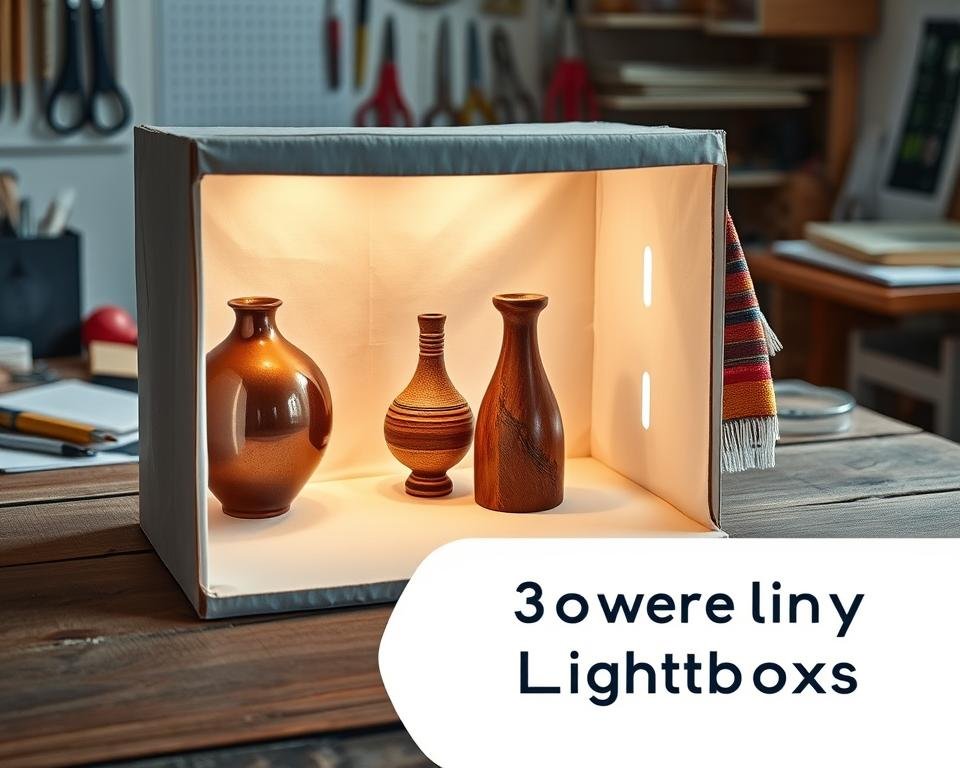
Overcrowding the Lightbox
One big mistake is putting too many things in the lightbox. This makes the image messy and takes away from your product. Keep your product simple and use only a few props or items around it.
“A cluttered lightbox can detract from the product you’re trying to showcase.” Choose props that match your product and make it look better. For example, jewelry might look great with a simple background or a few matching accessories.
Ignoring Lighting Setup
Not paying attention to lighting is another big mistake. Good lighting is key for quality images. Bad lighting can cause shadows, harsh reflections, or uneven light. Experiment with different setups to get it right.
Use both natural and artificial light for a balanced look. Remember,
“Good photography is about attention to detail, and lighting is one of the most critical details.”
Good lighting makes your products look their best. For DIY lighting, try LED panels, softboxes, or natural light. Aim for soft, even light to avoid shadows and reflections.
Advanced Techniques for Professional Results
To make your product photography better, try advanced techniques with your handcrafted lightbox. Improve your skills and try new methods. This will make your product images look much better.
Incorporating Multiple Light Sources
Using more than one light source can make your photos look deeper and more interesting. This method helps you show your products in a more detailed and appealing way.
- Use a mix of softbox lights and sidelights for a balanced look.
- Play with light intensities to get the mood you want.
- Add a backlight to make your product stand out from the background.
Experimenting with Filters and Diffusers
Filters and diffusers can change the light in your photos. By trying different filters and diffusers, you can add special effects to your images.
Some common ways to use them include:
- Use a polarizing filter to cut down glare and make colors pop.
- Apply a diffusion filter to soften the light and reduce shadows.
- Try colored gels to add a creative touch to your photos.
By using these advanced techniques, you can get professional-looking results. Your product photos will show off your products in the best light.
Digital Editing to Enhance Lightbox Images
Digital editing can make your DIY product lightbox images stand out. With the right tools and techniques, you can improve your product photos’ quality and appeal. I’ll show you basic editing steps and suggest software for professional-looking results.
Basic Editing Techniques for Beginners
Start with the basics if you’re new to editing. Adjusting brightness, contrast, and saturation are key steps. Brightness makes the image lighter or darker. Contrast changes the light and dark areas. Saturation affects color intensity.
Desaturating an image can make it look more professional. Cropping is also important. It helps focus on the product by removing background distractions. It’s essential to center and frame your product well when using a lightbox.
Recommended Software for Image Enhancement
There are many easy-to-use software options for beginners. Adobe Lightroom is popular for its editing tools and ease of use. It has presets for consistent looks in your product images. For advanced editing, Adobe Photoshop offers powerful tools.
If you’re on a budget or prefer free options, try GIMP and Canva. GIMP has features similar to Photoshop. Canva is good for graphics and photo editing with a simple interface. Learn more about improving your product photography on Jimdo’s blog on product photography with DIY light.
Showcasing Your Products Effectively
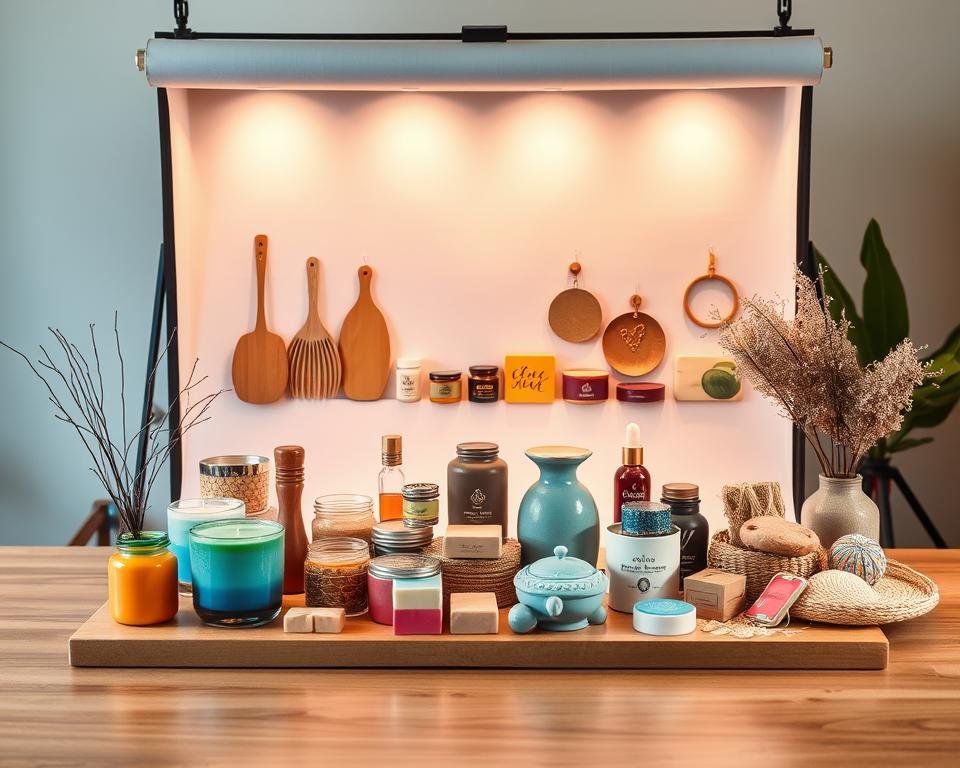
After taking stunning product photos with your DIY lightbox, it’s time to show them off. A great product display can grab the attention of customers and boost sales.
To start, let’s look at the best places to share your lightbox photos. In today’s world, having a strong online presence is key for businesses. Here are some top platforms to showcase your products:
Best Platforms to Share Your Lightbox Photos
- Social Media: Instagram, Facebook, and Pinterest are great for sharing product photos. Use hashtags to get more views and talk to your followers.
- E-commerce Websites: If you have an online store, use your lightbox photos to show off products. This makes shopping better and helps customers decide.
- Blogs and Influencer Marketing: Work with influencers or bloggers in your field to show your products to their fans.
Engaging Your Audience with Visual Content
It’s important to engage your audience to turn viewers into buyers. Here are some tips to make your visual content more engaging:
- Use High-Quality Images: Make sure your product photos are clear, well-lit, and high-resolution.
- Tell a Story: Use your product photos to tell a story or show a lifestyle. This helps customers feel a connection to your products.
- Be Consistent: Keep a consistent look in all your product photos to build brand recognition.
By showing your products well and engaging your audience with great visual content, you can improve your product photography. This can help your business succeed.
Maintaining Your DIY Product Lightbox
To keep your DIY product lightbox in top shape, regular care is vital. A well-kept lightbox lasts longer and keeps your product photos looking great.
Cleaning Tips for Longevity
Cleaning your lightbox often is a must. Dust and dirt can mess with the lighting. Use a soft, dry cloth to wipe down the inside and outside.
If stains are tough, a slightly damp cloth might help. But make sure to dry it well after. Stay away from harsh chemicals or rough cleaners to avoid damage.
Also, check the lights for dust and clean them when needed. This keeps the light bright and clear.
Upgrading Your Lightbox Over Time
As you use your lightbox more, you might want to upgrade it. Think about adding new lights or changing the setup for different looks. You could also try new backgrounds or surfaces for your products.
Upgrading can be simple, like a new backdrop color, or complex, like new lighting tech. Keep trying new things to see what works best for your photos. By always improving your lightbox, it will stay a key tool for your photos.
User Testimonials and Case Studies
The power of a handcrafted lightbox in boosting product photography is clear from user feedback. DIY fans have made amazing displays using the right materials and methods. This has greatly improved their craft photography.
Many users have seen a big leap in their product photos with a DIY lightbox. The controlled light and adjustable backgrounds make their products look better and more professional.
Success Stories from DIY Influencers
DIY influencers have shared their wins with a handcrafted lightbox for product photos. For example, one influencer saw a 25% increase in engagement on social media with better product images from their DIY lightbox.
Another influencer praised their lightbox’s flexibility. It let them try out various backgrounds and lighting, boosting their craft photography skills.
Before and After Examples of Product Photography
Before and after photos show how much a DIY lightbox can change things. Products once photographed poorly now look clear and well-lit.
One user showed a big difference. The first photo had bad reflections and poor light. The second, with the DIY lightbox, had a clean, well-lit product, making it much more appealing.
These stories and examples prove that making a handcrafted lightbox is worth it for anyone wanting to improve their product photography.
Conclusion: Elevate Your Product Photography Game
Making a homemade lightbox is easy and saves money. It helps you take better photos of your products. You can show off your items in the best light.
Reflecting on Your DIY Journey
Think about your DIY adventure. You’ve learned a lot, from building the frame to arranging your products. Each step has helped you grow as a photographer.
Experimenting with New Ideas
Now, use your lightbox to try new things. Play with different lights, backgrounds, and styles. This will help you get even better at taking product photos.
With your DIY lightbox, you can do anything. I’m looking forward to seeing all the great photos you’ll make.